2026 Latest Redmine Plugin: What is AI Employee? Achieve Redmine Automated Project Management with AI
By Appar Insight, June 18, 2026
For internal enterprise management, Redmine is a stable yet "highly manual" project management tool. During the operation of Redmine, there are moments when we sigh:
"When clients submit a large number of issues at once, it's impossible for humans to quickly and accurately assign them to the front and back ends."
"Weekly task progress requires repeated time and effort to organize."
"PMs spend every day organizing the status of various issues and reports."
"Team communication content can accidentally scatter between Redmine and communication software, requiring keyword searches on both sides."
Wouldn't it be great if Redmine could be smarter: understand the status of all tickets, update ticket statuses based on past issue handling processes, view all tickets at once and provide suggestions, and compile reports?
In 2026, leveraging the booming development of the AI ecosystem, Redmine is endowed with "automation and intelligent decision-making AI capabilities," making it smart and interactive. You can interact with AI through "direct dialogue, assigning tickets to AI, and tagging AI in discussions," allowing AI to seamlessly integrate into Redmine's project development process.
What is Redmine AI Employee?
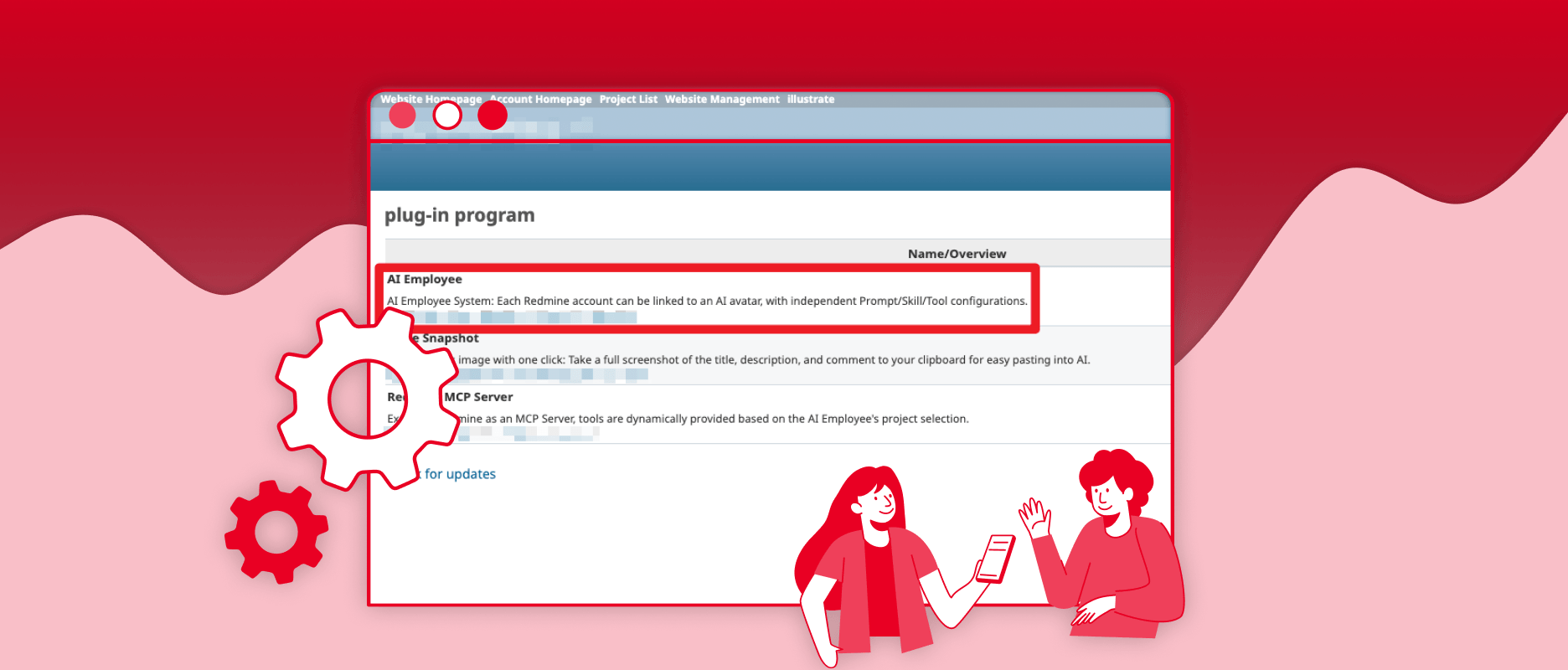
Redmine AI Employee is a custom-developed Redmine Plugin by Appar Technologies, natively integrating artificial intelligence (AI) into Redmine, enabling the system to "automatically handle tasks, understand content, make decisions, manage, and drive project progress." By installing the AI Employee plugin, Redmine transforms from passively recording information to an interactive, problem-solving collaboration system.
What can Redmine AI Employee do?
For common enterprise application scenarios:
1. Automatic Issue Classification and Assignment in Redmine
AI Employee can read the issue subject (e.g., Bug/Task/Complaint...), automatically determine the type, and assign it to the appropriate personnel.
Improvement:
No longer requires PMs to spend time thinking and assigning issues.
2. Automatic Task Creation and Breakdown
It can take raw data from customer or QA reported issues (such as issue forms in Word, Excel, PDF, or screenshots) and send it directly to AI, asking AI to create new tickets in batches and categorize them properly based on past ticketing practices.
Alternatively, you can manually create an issue, enter only the summary information, assign it to AI Employee, and AI Employee will further complete the ticket, automatically generate a task list, and even break it down into sub-tasks, assigning them to the corresponding responsible persons.
Improvement:
Reduces the burden on PMs for initial function planning.
3. Automatic Progress Tracking and Reporting
AI Employee can: analyze task status, predict delay risks, and automatically generate weekly/monthly reports.
Improvement:
PMs no longer need to manually organize Excel sheets.
4. Friendly Project "Assistant"
When someone queries project progress (through a dialogue box or integrating MCP with communication software like Slack, Teams, etc., to query Redmine's project progress), if AI Employee finds that there are issues in the project that are not completed on schedule, it will automatically send notification emails through Redmine to remind the assignee of the issue.
Improvement:
Can "timely" remind assignees to resolve tickets, not too frequently, and won't forget to remind, reducing the burden on project managers and allowing AI to actively drive project progress.
5. Intelligent and Insightful "AI Brain"
When QA or PM personnel write unclear issue content, we can directly leave a note and @AI, allowing the AI, which has a comprehensive understanding of the entire project, to provide more detailed and organized explanations.
Improvement:
Provides immediate responses and organized explanations, saving project personnel the time cost of back-and-forth discussions.
How to Use Redmine AI Employee
Basic Usage: Install Redmine AI Employee Plugin
The design basis of Redmine AI Employee's permissions is to bind AI to a Redmine account, effectively controlling AI's permissions, which cannot exceed the permissions of the Redmine account. Enterprises can choose to use "team-shared AI" or "personal exclusive AI" based on the scenario. After adding the AI Employee Plugin to Redmine, system administrators can set AI Employee's operational permissions and bind it to specific user accounts.
There are two scenarios:
Shared AI Employee: Create a new user account, bind AI Employee, and one AI can be used and assigned by multiple users.
Personal AI Employee: Bind AI Employee's permissions and functions to the system user's account, creating a dedicated AI for that user (like a personal assistant or digital twin), which cannot be used or assigned by others.
[Reference Plugin Installation Steps]
Performed by company system administrators on the host where Redmine is installed:
- First, confirm whether the Plugin is compatible with the current version of Redmine
- Place the downloaded Plugin under "redmine/plugins/"
- Install dependent packages
cd /……/redmine
bundle install --without development test - Integrate the database
bundle exec rake redmine:plugins:migrate RAILS_ENV=production - Restart Redmine
sudo systemctl restart apache2 - Enter Redmine > Plugins to check if the Plugin appears successfully
Advanced Full Version: Install Redmine AI Employee Plugin + Custom MCP Development
When Redmine has already introduced AI functionality, allowing proactive issue creation and updates within Redmine, we hope this AI can operate more "in the know" — whether it's about the current development direction of the enterprise, engineering repair situations, or even when the company needs to check other specific systems during task management... At this time, through "MCP development and Redmine integration," this AI Employee can understand more comprehensive company information within Redmine, facilitating the writing of more practical issue content and making more accurate status updates.
Want to know what MCP is? and how Appar Technologies uses Redmine to connect external systems through MCP, and what applications can be made after integration?
Feel free to check out our article: Enterprise-Level MCP Server Development Services | Allow AI Agents to Safely and Controllably Connect Internal Systems, or contact us directly via email or phone to connect with Appar Technologies.